Case Study / Secure Electron Desktop Product

Your private notes, already aware of the work around them.

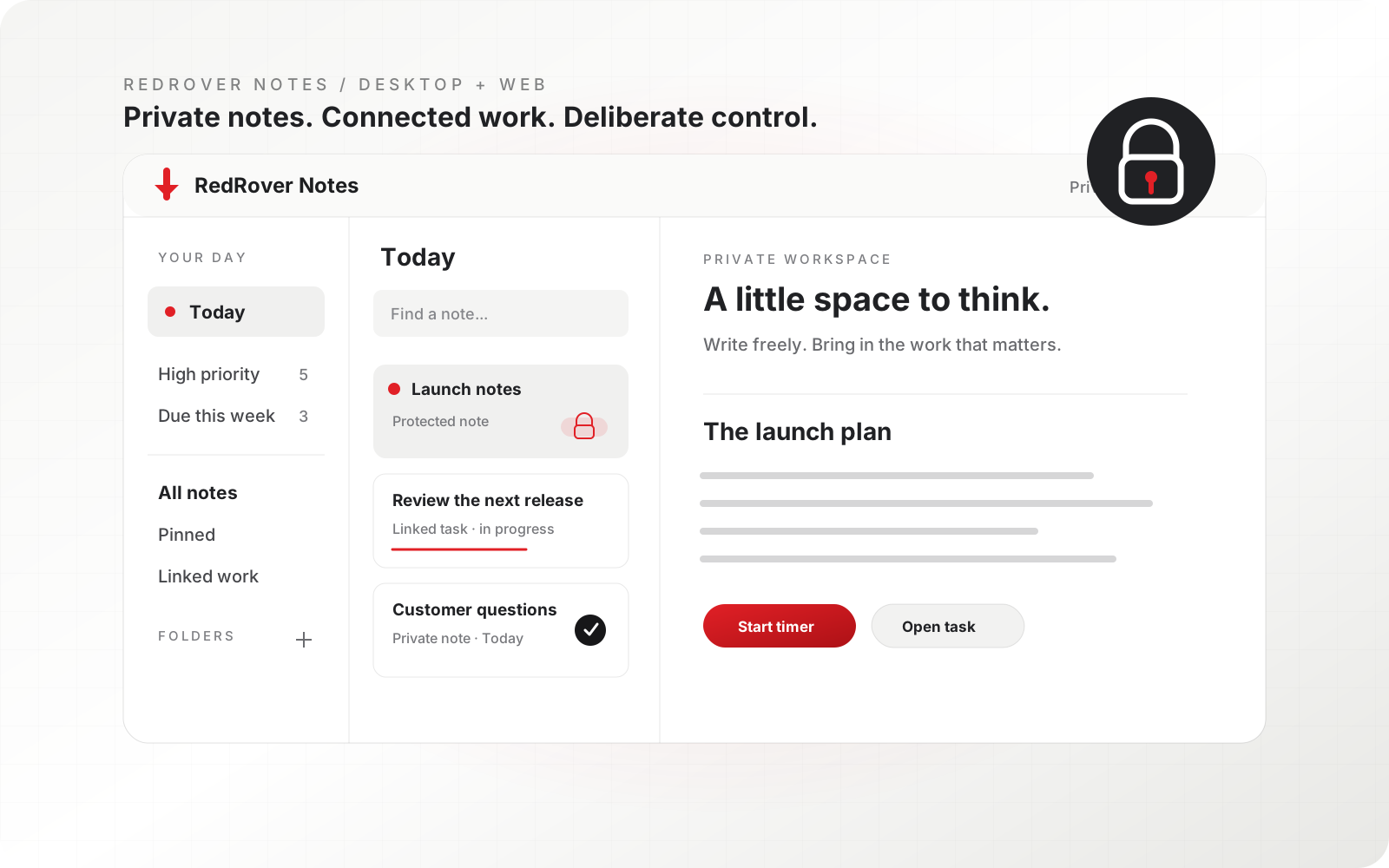
Hatchery designed RedRover Notes as a focused desktop and web product for private thinking that can also understand authorized RedRover work. Notes, folders, protected content, Today planning, files, timers, and connected context stay close without becoming a shared task board.

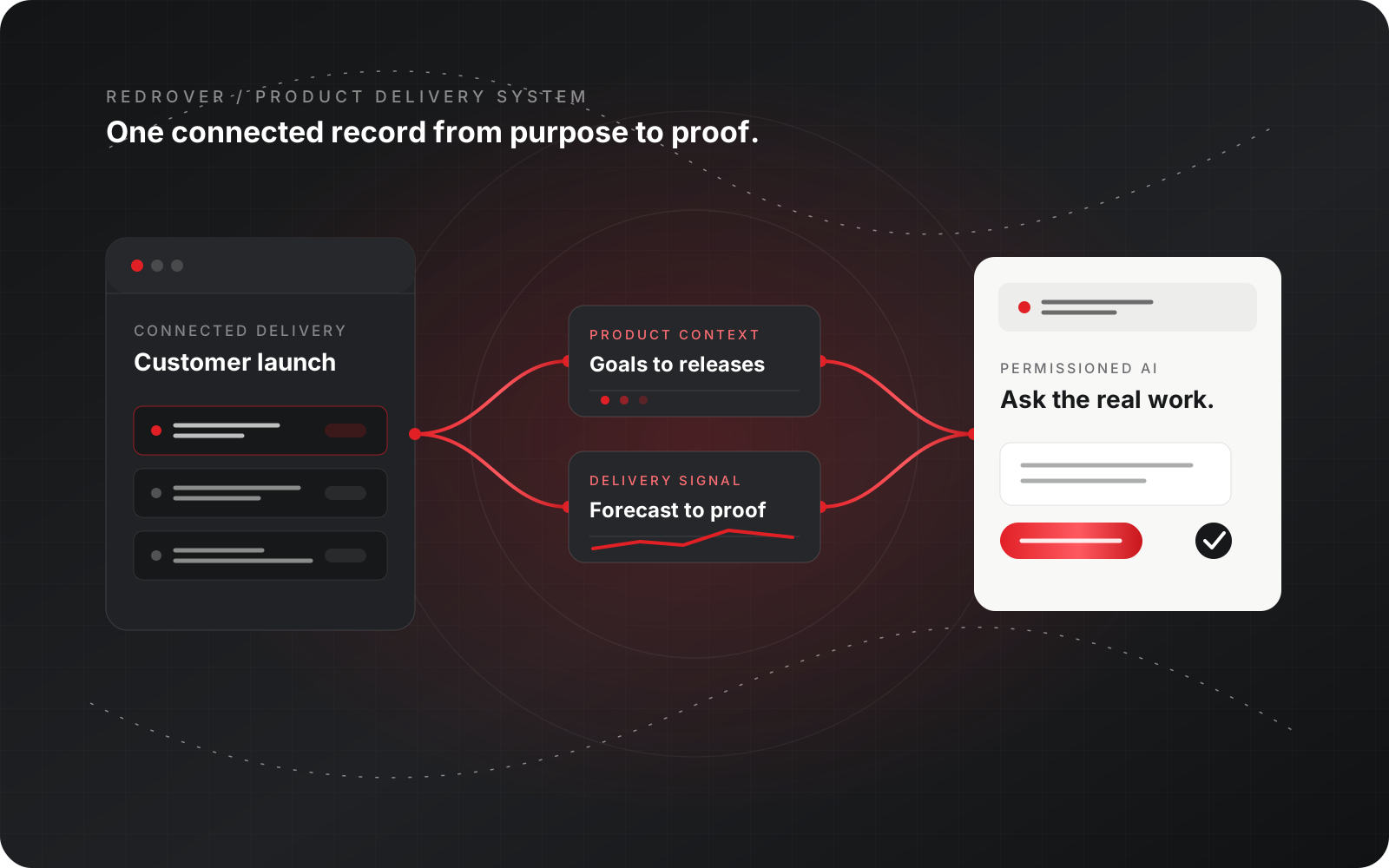
RedRover Notes case-study illustration showing a private desktop workspace with Today, protected notes, linked work, and timers.
Owner-only Private by default Workspace membership and administrator status do not grant access to another person's notes.
AES-256-GCM Protected content at rest Password-protected note text and attachments can be encrypted with note-bound authenticated encryption.
MCP opt-in Separate permissions Read, add, edit, and delete access starts disabled for every connection, and protected notes stay excluded.
RedRover aware Live work, not copied text Authorized goals, releases, requirements, and tasks can enter the Notes experience while remaining connected to their original records.
At a glance

RedRover Notes

Capture the thought, find it instantly, and keep moving. Notes puts serious speed and power behind an interface that stays remarkably simple.

Notes is a focused product with its own identity, Electron desktop app, web experience, and release path.
Private notes are scoped to the authenticated owner, not the workspace, role hierarchy, or administrator status.
Authorized RedRover work can appear beside private thoughts without being copied or losing its current status and permissions.
The same context model can later connect Notes to other approved business systems, such as accounting, CRM, or support, while preserving clear access boundaries.
Problem

A notebook can hold an idea. It does not understand the work around it.

People need a quiet place for rough ideas, meeting notes, files, and daily focus. Standalone note apps leave business context elsewhere; shared workspaces create the wrong privacy assumptions. RedRover Notes was designed to preserve both private thought and useful, authorized context.

Risk

Convenience cannot weaken privacy.

A desktop notes product touches authentication, offline data, attachments, encryption, linked work, timers, AI access, updates, and native operating-system behavior. One loose boundary can expose content or create conflicting records.

Hatchery role

Hatchery separated the experience and reused the trusted services.

Notes has its own calm Electron and web experience, while RedRover's Java services provide identity, security, live work context, AWS storage, MCP controls, status changes, and time tracking. The product feels independent without becoming disconnected.


Comparison

Standalone notes vs. private notes with live context

Need Standalone notes RedRover Notes
Privacy Shared workspace or admin assumptions can blur who may read personal content. Every note is account-and-owner scoped; workspace roles and administrators do not inherit access.
Protection A lock can be only a visual control or a single device password. Protected content can use note-specific passwords, AES-256-GCM encryption at rest, cooldowns, and short-lived unlock grants.
Work context A task, customer, or release is pasted into a note and quickly becomes stale. Authorized RedRover records stay linked to their live status, permissions, conversations, and source.
Future context The notebook remains isolated from the systems where business actually happens. The integration model can bring in approved context from RedRover today and other business systems in the future.
AI access A connector may receive every note or depend on one broad permission. MCP note permissions are separate, per connection, off by default, and never expose protected notes.
Offline desktop Local drafts can be left in ordinary browser or application storage. New offline captures use an encrypted operating-system vault separated by server, account, and user.
What Hatchery built

Built as one product system.

Strategy, design, code, integrations, infrastructure, and operations move together so the product can launch and keep serving customers.

Separate Electron and web product

One shared Axis and Redactor interface runs in Electron, a standalone Notes site, and an embedded RedRover route without duplicating the backend.

Owner-only note security

Every query and mutation binds the authenticated account and owner. Revision checks, CSRF protection, bounded input, and server authorization protect saves, folders, files, and exports.

Encryption and protected attachments

PBKDF2-derived keys and AES-256-GCM can protect note text, titles, attachment metadata, and AWS-stored bytes. Passwords and reversible keys are not stored.

Live context without stale copies

High-priority work, requirements, releases, and due-this-week items can appear beside private notes. People can inspect or update what they are allowed to use while the original RedRover record remains the source of truth.

Optional MCP access

Each connection receives independent Read, Add, Edit, and Delete controls. Access starts disabled, is revalidated on every call, and cannot open protected notes.

Desktop release engineering

The Electron shell isolates authentication, exposes a fixed preload bridge, keeps credentials out of the renderer, supports update checks, and ships through Apple signing, notarization, Gatekeeper, and stapling checks.

Resilient offline capture

New device captures survive restart in an encrypted OS vault. A person signs in and explicitly imports or saves them before they become account content.

Decisions

Product choices that made the work hold together.

01

Make Notes a real product

A separate source tree, interface, website, Electron app, release artifact, and documentation path keep the experience focused instead of hiding it inside a larger system.

02

Do not let administrators inherit personal access

Owner-only content is a domain rule, not a navigation preference. Normal account administration and workspace membership never grant note access.

03

Link work instead of copying it

Notes stores a private reference and rechecks the current RedRover permission. Removing a card never deletes or silently changes the original work item.

04

Keep protected notes outside MCP

AI convenience does not override the stronger protection choice. Encrypted notes remain unavailable to MCP even when ordinary note permissions are enabled.

05

Keep native power behind a narrow bridge

The renderer receives only the capabilities it needs. Raw IPC, credentials, and filesystem paths are not exposed to note content.

RedRover Notes today

RedRover Notes provides a fast desktop and web experience for private writing, files, folders, pins, Today planning, protected content, and optional MCP access. Its defining advantage is context: authorized RedRover work is available without copying it into a disconnected notebook.

What this demonstrates

Notes demonstrates how Hatchery can make a focused desktop product feel immediate and personal while securely connecting it to a larger operating system. The same approach can extend to other approved business platforms as the product evolves.

Notes proves that a small, calm product can still demand serious engineering. Privacy, native desktop behavior, offline resilience, security, and connected work all have to agree.
Hatchery Product engineering team
Product evidence

Private by default. Connected when useful.

The product keeps writing visually quiet while making folders, encryption, local capture, Today planning, and live RedRover context tangible.

Fast desktop and web access Folders and protected notes Encrypted local capture Live RedRover work without copied records
A little space to think.
Product positioning

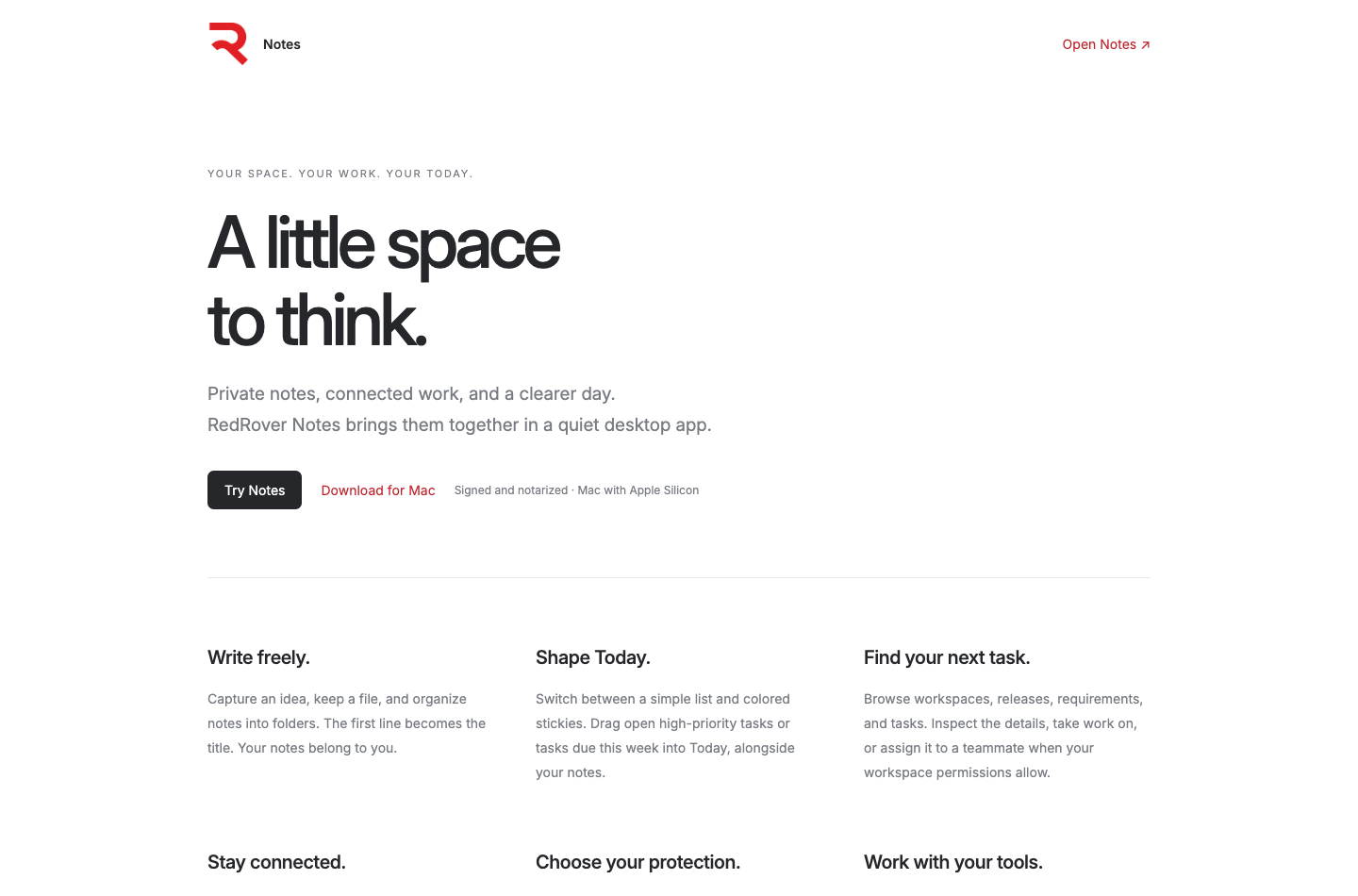
A little space to think.

The product story is intentionally simple: private notes, connected work, and a clearer day in a focused desktop experience.

A native-feeling place for private work.
Electron desktop

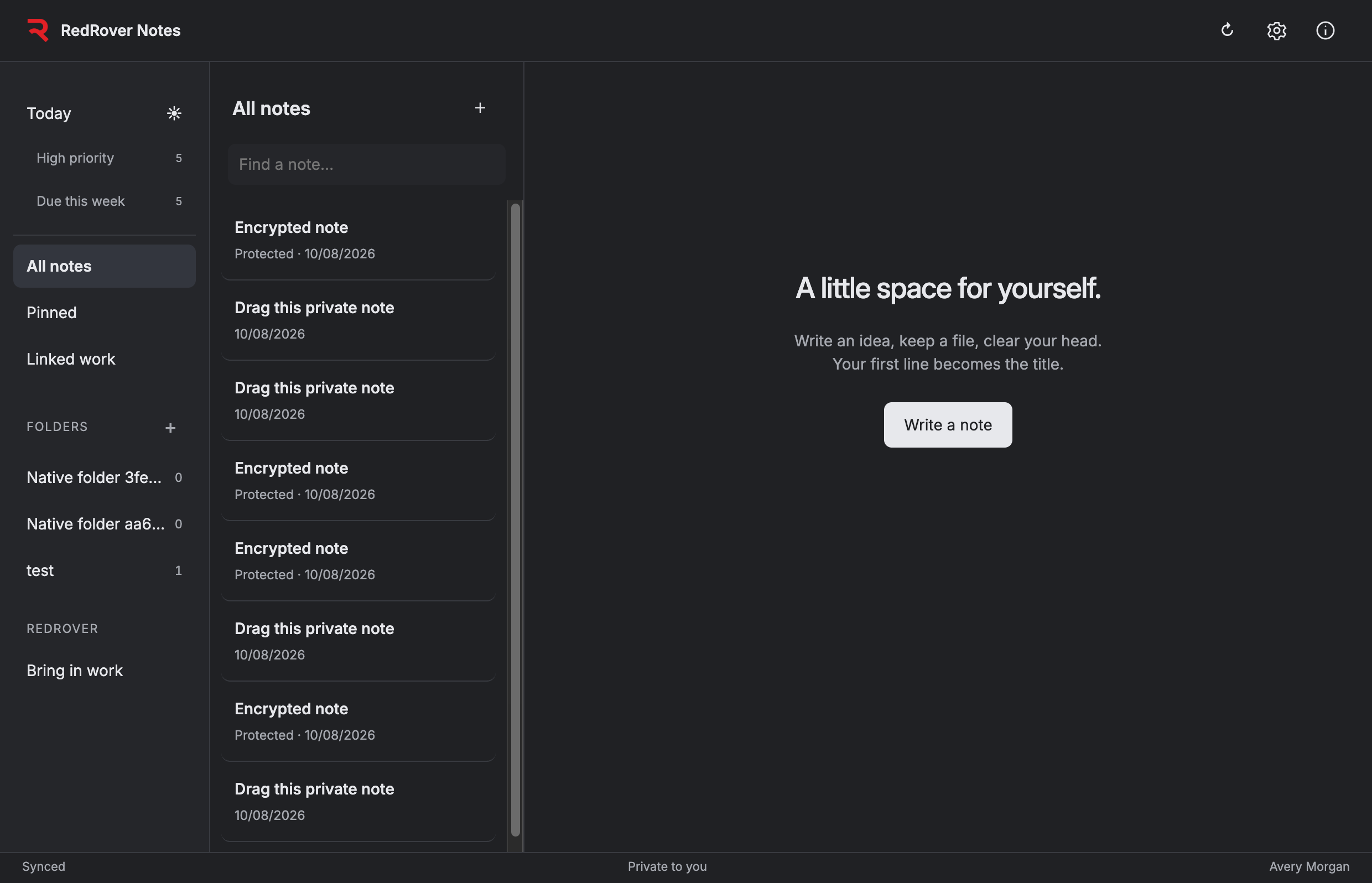
A native-feeling place for private work.

The dark desktop experience keeps Today, folders, pins, protected notes, and linked work close without turning the interface into a project-management dashboard.

Rich notes stay close to the day.
Writing and Today

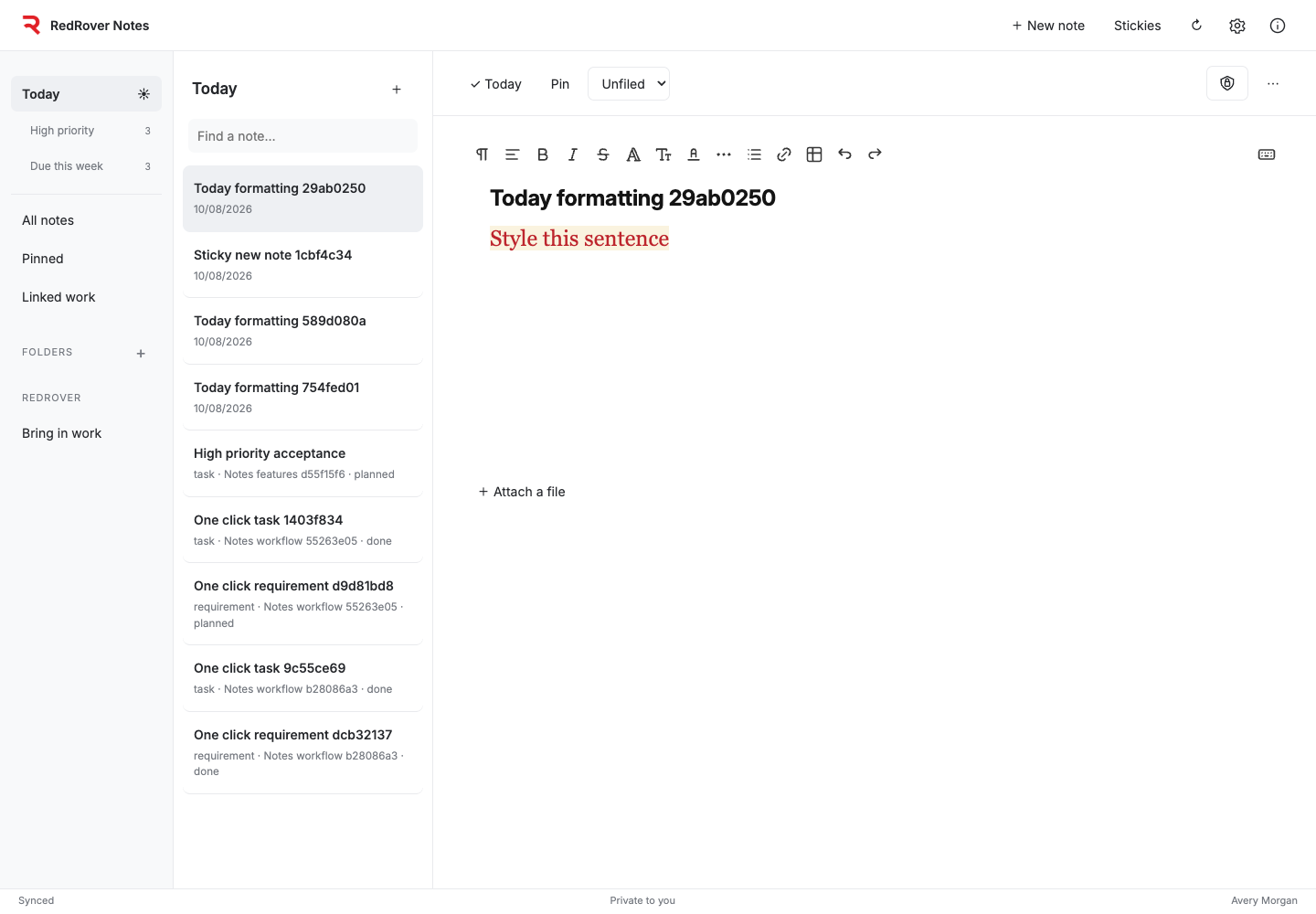
Rich notes stay close to the day.

A familiar editor supports headings, formatting, links, tables, color, attachments, folders, pins, and a Today view that can include private notes and authorized work.

Act on the original task without losing context.
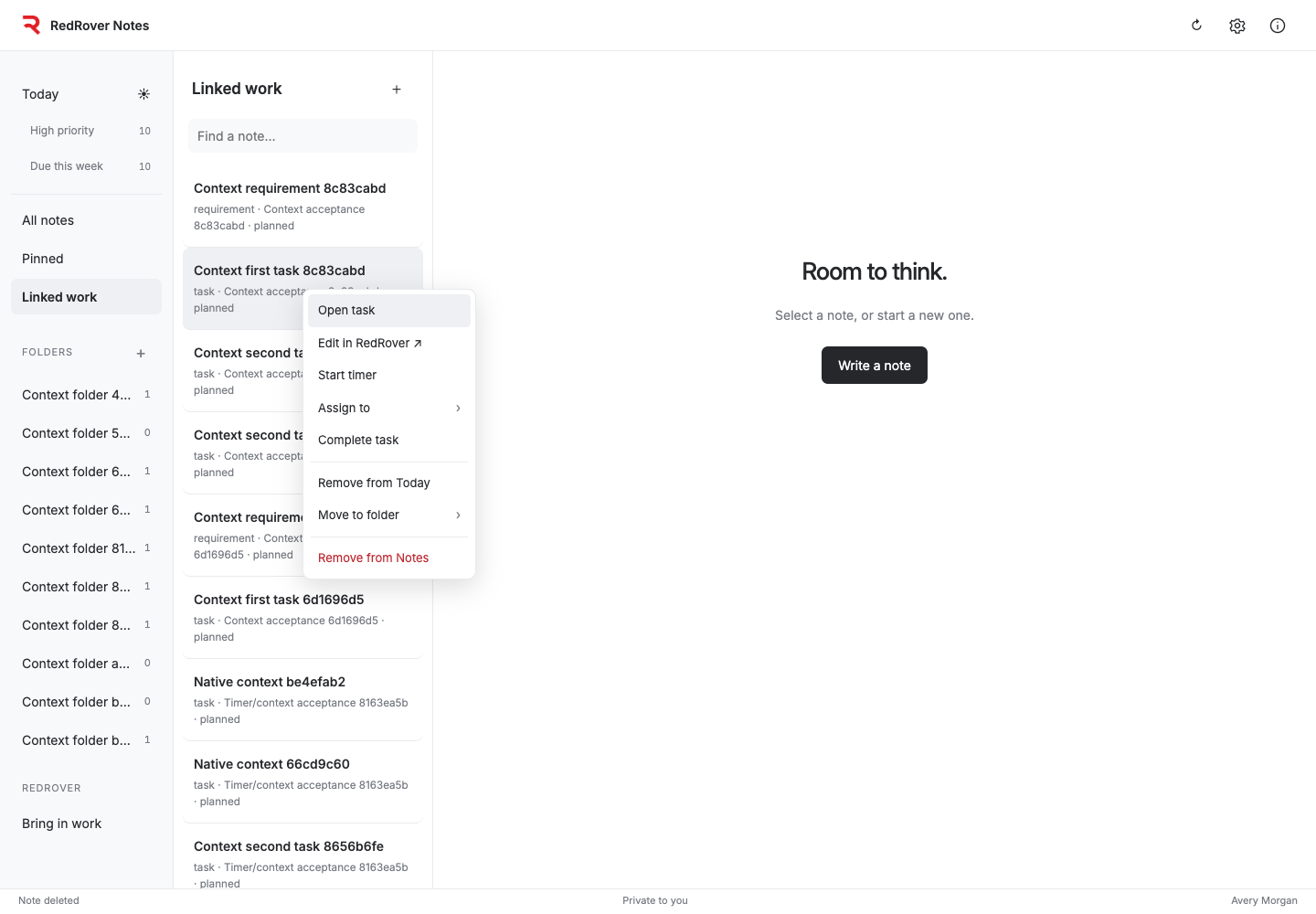
Connected work

Act on the original task without losing context.

Linked work can open in RedRover, start its server timer, change assignment or status when permitted, and remain a private reference inside Notes.

Organize private work without weakening it.
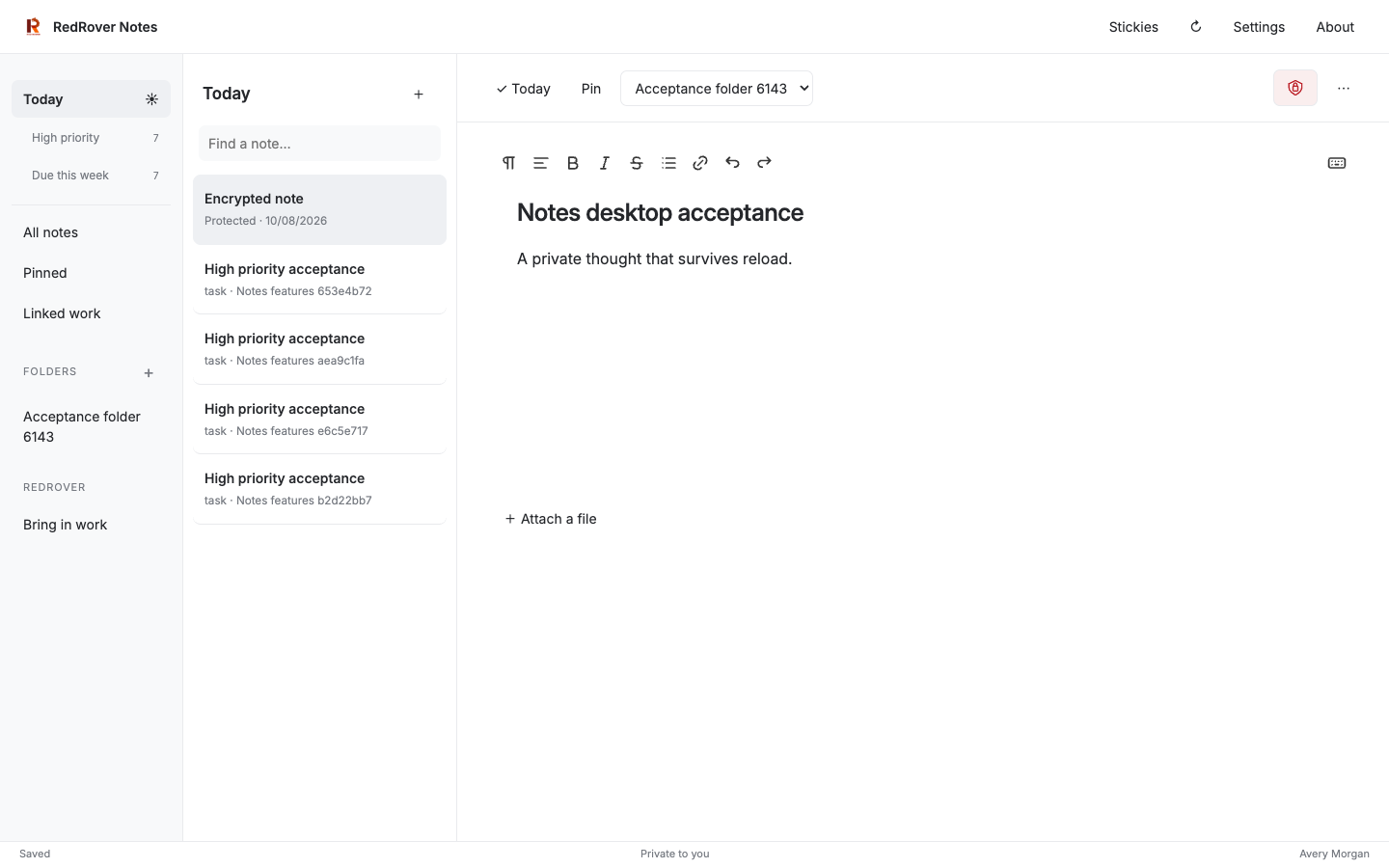
Folders and protection

Organize private work without weakening it.

Folders, pins, search, and clear protected-note states keep a large personal workspace understandable without making it visible to the wider organization.

Shape the week from notes and live work.
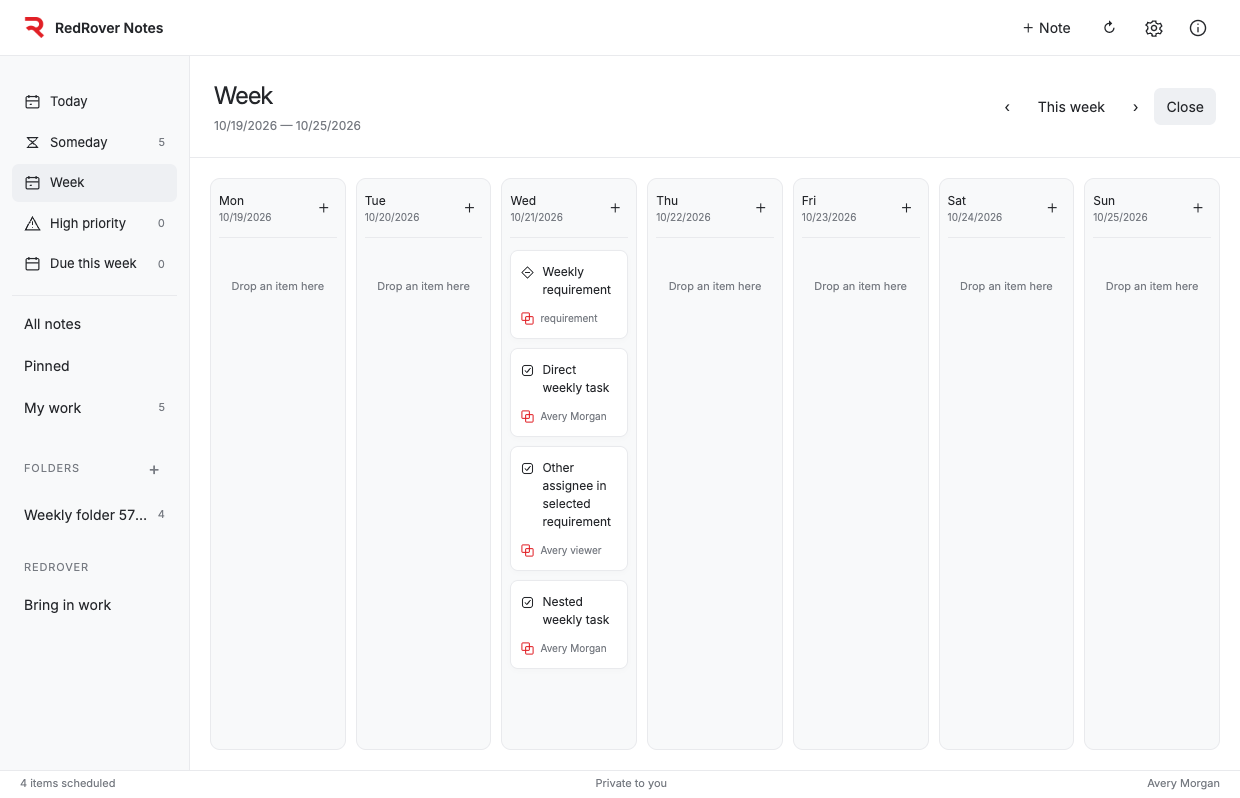
Week planning

Shape the week from notes and live work.

A visual week can bring private notes together with authorized RedRover requirements and tasks while each item remains connected to its real source.

RedRover awareness changes what a notes app can be.
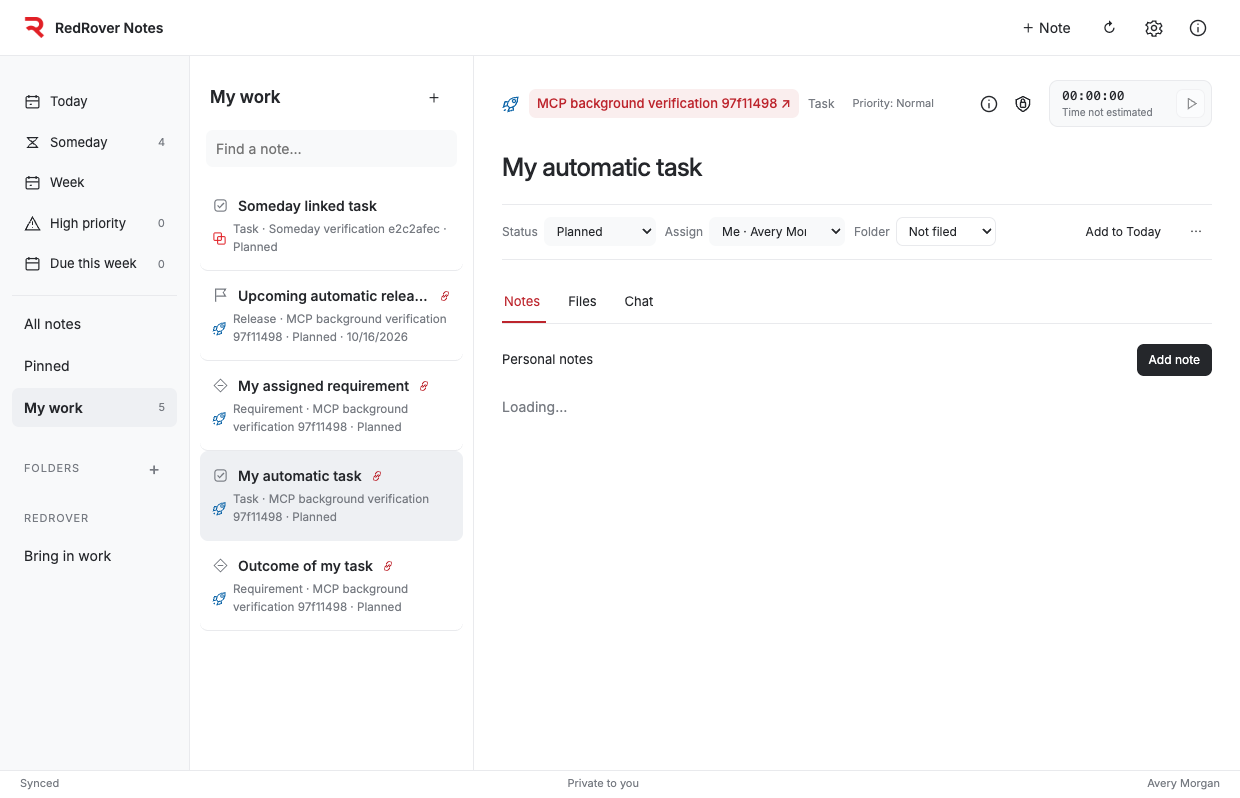
Connected context

RedRover awareness changes what a notes app can be.

A person can bring authorized tasks, requirements, releases, and conversations into a private workspace, then use the same integration model for other approved business systems as Notes evolves.

1 / 7
FAQ

Common questions.

Is RedRover Notes part of the RedRover interface?

It is a separate product with its own Electron app, web interface, source, and release path. It can also open from RedRover and reuses RedRover's authenticated Java services for identity, security, files, work links, and timers.

Can an administrator read another person's notes?

No. Personal notes are scoped to the authenticated account and owner. Workspace membership, administrator status, and ordinary role hierarchy do not grant access.

How are protected notes secured?

Protected notes can use a separate password, PBKDF2-HMAC-SHA256 key derivation, AES-256-GCM encryption at rest, note-bound associated data, short-lived unlock grants, and cooldowns after repeated failures. The server handles plaintext transiently after an authorized unlock, so this is encryption at rest rather than end-to-end encryption.

Can an AI assistant read Notes through MCP?

Only when the owner explicitly enables the relevant permission for a specific active connection. Read, Add, Edit, and Delete are independent and start disabled. Protected notes remain unavailable through MCP.

What happens when work is linked from RedRover?

Notes stores an owner-only reference to the original task or requirement. Current permissions are checked whenever it is read or changed. Removing the link does not delete the work item, and task timers use the original RedRover time service.

What desktop platforms are available?

The Mac application has been signed, notarized, stapled, and Gatekeeper-validated. A Windows x64 preview has been packaged and inspected, but native Windows installation, signing, and login acceptance still require a Windows machine.

Build with Hatchery

Take the product idea, complex workflow, or AI opportunity and make it real.

Clarify what to build, what to simplify, what to protect, and what must work first.

Idea UX Code AI + data Launch Operate Evolve

Start with Hatchery when

Clarify the path

Talk through the build